Best Parental Control App 2026: Aura Review by Real Parent
Last Updated: February 26, 2026 | Tested By: Real Parent in Daily Use
After testing pretty much every major parental control app out there, Aura is still the one I actually use with my own family. This isn't a surface-level feature comparison—this is a real parent's perspective on what actually matters when you're managing technology in your home every single day.
I'll cover the three critical things you need to know about Aura's parental controls, explain why I chose it over competitors, and help you decide if it's the right fit for your family.
Best Parental Control Apps: Quick Comparison
Aura
Full family security suite included
Perfect For:
- Parents wanting prevention over monitoring
- Families needing digital security tools
- Those who value simplicity
Key Benefits:
- ✓ Blocks content before exposure
- ✓ One-tap "Pause Internet" button
- ✓ Bonus time rewards feature
- ✓ Identity theft protection included
- ✓ VPN + Antivirus included
- ✓ Dark web monitoring
- ✓ Easy setup (15-30 min)
14-day free trial • 60-day money-back guarantee
Bark
Monitors and alerts after exposure
Perfect For:
- Parents who want to read messages
- Monitoring social media DMs
- Alert-based approach
Key Features:
- ✓ Monitors texts and social media
- ✓ AI-powered alerts
- ✓ Email monitoring
- ✗ No identity theft protection
- ✗ No VPN included
- ✗ Reactive (not preventative)
- ✗ More complex setup
7-day free trial
Qustodio
Comprehensive but complex
Perfect For:
- Parents wanting detailed reports
- Activity tracking focus
- Location monitoring needs
Key Features:
- ✓ Detailed activity reports
- ✓ Location tracking
- ✓ Call/SMS monitoring
- ✗ Can be overwhelming
- ✗ Longer setup time (45+ min)
- ✗ No identity theft protection
- ✗ No VPN or antivirus
30-day money-back guarantee
Why I Actually Use Aura (And Why That Matters More Than Features)
The Honest Truth About Parental Control Apps
At a high level, most parental control apps do the same core things reasonably well:
- Set screen time limits
- Block or restrict apps
- Control what your child can and can't access
So when you're choosing between them, it often comes down to price or whether you need a very specific feature.
But Here's What Companies Don't Tell You
Aura is simply the app I enjoy using the most. And that matters more than people think.
When you're picking a parental control app, this isn't something you set once and forget. It's an app you're going to interact with constantly. So enjoying it? That's kind of half the battle.
What You Don't Want in a Parental Control App:
- ❌ An app that creates friction between you and your kids
- ❌ Something that causes more problems than it solves
- ❌ An app that takes your entire weekend to set up, only to realize you still don't fully understand it
- ❌ Having to start over from scratch because the interface doesn't make sense
Why I Stuck With Aura
I genuinely enjoy using it. The interface makes sense. The setup is straightforward. And it doesn't feel overwhelming.
On top of that, I use Aura as part of the family bundle, which also includes identity theft protection and digital privacy tools. I spend a lot of time testing major players in this space, and some of them are just exhausting. They throw so much at you, prioritize the wrong things, or try to convince you that every single feature is mission-critical.
The Real Advantage
Aura doesn't overwhelm you with features you'll never use. It focuses on what actually matters for day-to-day parenting, and it does those things well.
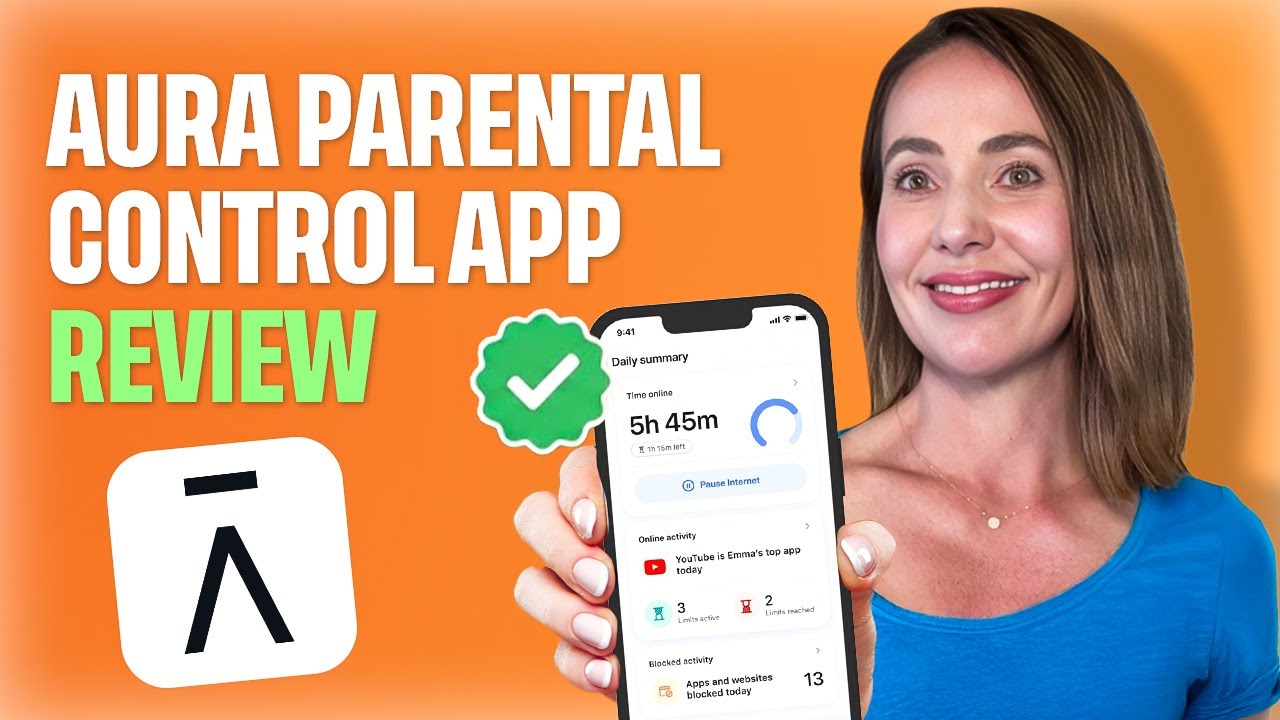
Watch our complete video guide to choosing the Best Parental Control App in 2026
The 3 Critical Things You Need to Know About Aura
Thing #1: What Aura Actually Does (And Doesn't Do)
This is where people either end up really happy with Aura or realize it's just not what they were looking for.
Aura is a Preventative Parental Control App
Its job is to stop inappropriate content from ever showing up on your child's device in the first place.
Three Ways Aura Blocks Inappropriate Content:
- Blocking access to specific apps
- Blocking access to specific websites
- Blocking content by category
How It Works Out of the Box
When you set up a child profile, Aura automatically:
- Blocks major social media platforms
- Filters content across about two dozen different categories
- Applies intentionally conservative defaults (you can fine-tune over time)
Real-World Testing: The Filtering Actually Works
When something's blocked, it is blocked. It's not logged for later review, not flagged, not turned into a notification you have to deal with after the fact. It simply doesn't appear.
Additional Protection Features:
- Safe Search enforcement across major search engines
- Browsing activity visibility so you're not flying blind
- Proactive blocking rather than reactive monitoring
⚠️ What Aura Does NOT Do (And Why That's Intentional)
Aura does not:
- ❌ Read text messages
- ❌ Monitor social media DMs
- ❌ Scan emails
- ❌ Interpret tone inside private messages
This Isn't a Missing Feature—It's a Design Choice
Aura is built for parents who want to control the environment but not monitor every single conversation happening inside it.
If your goal is to read messages or get alerts about specific phrases, Aura is probably not the right tool for you.
But if what you want is reliable blocking that prevents exposure in the first place—especially for younger kids—this is where Aura really shines.
Thing #2: Screen Time Controls That Actually Change Behavior
This is the part of Aura I end up using the most.
Customizable Screen Time Limits That Reflect Real Life
Screen time limits work the way families actually live:
- Different rules for weekdays and weekends
- Limits by app or by category
- Scheduled bedtime and focus time with automatic internet cutoff
🔥 The Standout Feature: Pause the Internet Button
This is exactly what it sounds like—a true kill switch.
How It Works:
- One tap and the internet's gone across the entire device
- No negotiation, no countdown timer, no "just one more minute"
- Cuts internet access rather than locking the phone entirely
- Kids can still use offline features if you want them to
The Bonus Time Feature
This flips screen time from being purely punitive into something you can reward.
Real-World Example:
Chores done? Homework finished? Awesome.
You can instantly add extra time without having to rewrite the entire schedule.
Why These Features Actually Matter
These might seem like small things, but they actually change behavior. More importantly, they reduce the amount of arguing and micromanaging you have to do as a parent.
You're not constantly adjusting the rules. You're just enforcing the ones you already set.
Thing #3: Aura Isn't Just a Parental Control App
This is the part that's easy to overlook if you're comparing Aura to apps like Bark in a vacuum.
Aura is a Full Digital Security Suite
The parental controls are just one part of it.
What's Included in the Family Plan:
- Parental controls (what we've been discussing)
- Identity theft protection
- Dark web monitoring
- Data broker removal
- VPN
- Antivirus protection
All in the same app. That means you're not juggling multiple subscriptions, dashboards, and logins just to cover the basics.
Why This Matters
For me, this matters because I already care about digital security, and I'd be paying for some of these tools anyway. So having parental controls built into the same ecosystem just makes sense.
Aura vs Other Parental Control Apps
| Feature | Aura | Bark | Qustodio |
|---|---|---|---|
| Content Blocking | ✓ Preventative (blocks before exposure) | ✓ Reactive (monitors and alerts) | ✓ Mixed approach |
| Screen Time Controls | ✓ Excellent (pause button, bonus time) | ✓ Basic | ✓ Good |
| Message Monitoring | ✗ No (by design) | ✓ Yes (primary feature) | ✓ Limited |
| Location Tracking | ✗ No | ✓ Yes | ✓ Yes |
| Identity Theft Protection | ✓ Full suite included | ✗ No | ✗ No |
| VPN Included | ✓ Yes | ✗ No | ✗ No |
| Dark Web Monitoring | ✓ Yes | ✗ No | ✗ No |
| Ease of Use | Excellent (simple, intuitive) | Good | Moderate (can be overwhelming) |
| Setup Time | 15-30 minutes | 30-60 minutes | 45+ minutes |
| Best For | Prevention + family security | Message monitoring | Detailed activity tracking |
Who Should Choose Aura?
✓ Aura is Perfect For:
- Parents who want strong prevention over reactive monitoring
- Families with younger children (elementary/middle school)
- Parents who value simplicity and low friction
- Households needing broader digital protection
- Families already paying for VPN, antivirus, or identity theft protection
- Parents who don't want to micromanage every conversation
- Those seeking an all-in-one digital security solution
✗ Consider Alternatives If:
- You specifically need message and DM monitoring
- Location tracking is a must-have feature
- You want to read all social media conversations
- You need phrase-specific alerts
- You prefer reactive monitoring over prevention
- You only want parental controls (not the full security suite)
The Real Question You Should Ask
It's Not "Is Aura Better Than Other Apps?"
When people ask whether Aura is better than other parental control apps, I think that's the wrong question.
The better question is: Does Aura's approach match how you want to manage technology in your home?
Aura Stands Out For Parents Who Want:
- ✓ Strong prevention
- ✓ Simple controls
- ✓ Low friction
- ✓ Broader digital protection
If that's what you're looking for, Aura delivers exceptionally well.
Common Questions About Aura Parental Controls
Does Aura work on both iPhone and Android?
Yes. Aura works on iOS (iPhone/iPad) and Android devices. The core features work across both platforms, though some OS-specific limitations apply (particularly on iOS due to Apple's restrictions).
Can my child bypass Aura's controls?
While no parental control app is 100% bypass-proof, Aura uses device-level controls that are difficult for children to circumvent. Using VPNs or deleting the app requires device passwords, and Aura can alert you to changes.
How many devices can I monitor with one account?
The family plan covers unlimited devices for up to 5 adults and unlimited children. This is more generous than most competitors.
What age range is Aura best for?
Aura works best for elementary through middle school ages (roughly 6-14 years old). For teens who need more autonomy, you might want a lighter touch or different approach. For very young children (under 6), simpler solutions may suffice.
How long does setup take?
Initial setup takes about 15-30 minutes per child. This includes creating their profile, setting initial rules, and installing the app on their device. Fine-tuning happens over the first week as you see how rules work in practice.
Can I temporarily disable controls?
Yes. The "Pause Internet" button works both ways—you can pause restrictions for specific periods, like during family movie night or when kids need unrestricted access for school projects.
Does Aura slow down devices?
No. Aura runs efficiently in the background without noticeable performance impact. The VPN feature might slightly reduce internet speeds, but it's minimal in daily use.
What if I'm already using another identity theft protection service?
You'd need to evaluate whether Aura's complete package offers better value than paying separately for parental controls + your existing service. For many families, consolidating saves money.
Pricing & Value
Understanding Aura's Value Proposition
Aura's value really depends on what you're looking for:
If You Only Want Parental Controls:
Aura might seem more expensive than standalone parental control apps like Qustodio or Net Nanny.
If You Want Complete Family Digital Protection:
Aura becomes one of the best values available because you're getting:
- Parental controls (typically $80-100/year alone)
- Identity theft protection (typically $120-200/year alone)
- VPN (typically $60-80/year alone)
- Antivirus (typically $40-60/year alone)
- Dark web monitoring (usually bundled with identity theft services)
- Data broker removal (typically $100-150/year alone)
Total if purchased separately: $400-590/year
Aura family plan: Significantly less than buying everything separately
My Final Recommendation
Why I Still Use Aura After Testing Everything
After testing pretty much every major parental control app, Aura remains my choice for one simple reason: I actually enjoy using it.
The Bottom Line:
- ✓ It's straightforward to set up and use daily
- ✓ The controls actually work without constant adjustment
- ✓ It prevents problems rather than just alerting me after they happen
- ✓ The family bundle provides real value beyond just parental controls
- ✓ It doesn't create friction between me and my kids
For parents who want strong prevention, simple controls, and broader digital protection, Aura stands out.
Who This Review Is For
If you're a parent who values:
- Preventing exposure over monitoring conversations
- Simplicity over exhaustive features
- Family-wide digital security
- An app you won't dread using
Then Aura is worth serious consideration.
14-day free trial • 60-day money-back guarantee
Protect your kids and your entire family's digital life